Short answer
A Google Ads audit checklist is a fixed list of settings and reports you review to find wasted spend and broken tracking. For a small business account, check nine areas in this order: conversion tracking, search terms and negatives, match types and AI Max, location and network settings, ad schedule, ads and landing pages, budget and bidding, Performance Max brand exclusions, and account access.
Start with tracking. If conversions are not counting real calls, forms or bookings, every other number in the account, including what Smart Bidding optimizes for, is wrong.
Key takeaways
- Tracking comes first. Google says you need conversion tracking before you can use Smart Bidding, and only primary actions feed the Conversions column and bidding (Google Ads Help).
- The default location setting is wider than most local businesses expect. Presence or interest is Google’s default and also shows ads to people who have only shown interest in your area (Google Ads Help).
- Negative keywords do not catch variants. Google says negatives will not match close variants, so you add plurals and synonyms yourself (Google Ads Help).
- Google changed a lot in 2026. Campaign level broad match and automatically created assets campaigns were moved to AI Max from September 1, 2026 (Google Ads Developer Blog), and automated promotions started October 12, 2026 (Search Engine Roundtable).
- A 100% optimization score is not the goal. Google says you can reach 100% by applying or dismissing all recommendations (Google Ads Help).
- Benchmarks give context, not targets. The median cost per lead across 13,474 US search campaigns was $66.69 for April 2025 to March 2026 (WordStream by LocaliQ).
What is a Google Ads audit, and how often should you run one?
A Google Ads audit is a structured review of an account’s tracking, targeting, ads, budget and access settings, checked against what the business actually wants. You are looking for two things: money spent on clicks that could never become customers, and numbers you cannot trust.
In our experience, a full audit once a quarter plus a 15 minute search terms review every week is enough for most small business accounts. Run a full audit sooner if you change agencies, if cost per lead jumps for more than two weeks, or if Google announces a change that touches your campaign types, as it did several times in 2026.
| Area | Where to look | What good looks like |
|---|---|---|
| Conversion tracking | Goals, Conversions, Summary | Status Active; only real leads set as primary |
| Search terms | Insights and reports, Search terms | Few irrelevant terms; negatives added weekly |
| Match types and AI Max | Keywords; campaign settings | Broad match only with Smart Bidding and solid tracking |
| Location and networks | Campaign settings, Locations and Networks | Presence for local service areas; search partners a deliberate choice |
| Ad schedule | Campaign settings, Ad schedule | Matches the hours you can answer the phone |
| Ads and landing pages | Ads; Assets; Landing pages | Several unique headlines; fast, mobile friendly pages |
| Budget and bidding | Campaigns; Bid strategy | Budget fits the month; strategy fits your conversion volume |
| Performance Max | Campaign settings, Brand exclusions | Your own brand excluded if a Search campaign covers it |
| Account access | Admin, Access and security | You own the account; at least two admins |
Menu names can vary as Google updates the interface.
Is conversion tracking counting real leads?
Good tracking means every conversion action you bid toward is a real lead or sale, it shows as Active, and nothing is counted twice. Open Goals, then Conversions, and read the status column. Google’s troubleshooter lists five statuses: Active, Needs attention, Misconfigured, Awaiting conversions (nothing recorded in the last 7 days) and Removed (Google Ads Help).
Next, check which actions are primary. Google says primary actions appear in the Conversions column and are used for bidding, while secondary actions only appear in All conversions and are not used for bidding unless added to a custom goal (Google Ads Help). A common mistake we see is page views, scroll depth or a “contact page visit” set as primary, which teaches Smart Bidding to buy cheap clicks that never call.
Phone calls and enhanced conversions
Most local service leads arrive by phone, so check that calls are tracked. Google supports five kinds of call conversion: calls from ads, calls to a number on your website, clicks on a number on your mobile site, clicks on call ads and assets, and imported call conversions (Google Ads Help). For calls from ads, you set the minimum call length that counts, so a 10 second wrong number does not register as a lead.
Then check enhanced conversions. Google describes it as a feature that improves measurement accuracy by sending hashed first party data, such as an email address, using the SHA256 algorithm (Google Ads Help). Google says web and lead versions are being combined into one on or off setting, found under Goals, Settings, Customer data use (Google Ads Help).
Which searches are you actually paying for?
The search terms report shows the real searches that triggered your ads, and it is where most wasted spend shows up. Google notes that some terms without enough query activity are left out of the report (Google Ads Help), so you will never see every search, but you will see the ones that cost the most.
Sort by cost for the last 30 days and add anything irrelevant as a negative keyword: job seekers, “free”, “DIY”, competitors you do not want, and services you do not offer. Remember that Google says negative keywords will not match close variants or other expansions, so add singular, plural and synonym versions yourself (Google Ads Help). Our free Search Term Analyzer and Negative Keyword Generator can speed this up.
Match types and AI Max
Check which match types each campaign uses. Google defines broad match as showing ads on searches related to your keyword, phrase match as searches that include the meaning of your keyword, and exact match as searches with the same meaning or intent (Google Ads Help). Google also says it is critical to use Smart Bidding with broad match. So if you see broad match keywords on manual CPC or Maximize clicks, treat it as a red flag.
If any campaign now shows AI Max, check which features are on. AI Max for Search bundles search term matching, text customization of headlines and descriptions, and final URL expansion (Google Ads Help). Google’s developer blog says campaigns migrated from campaign level broad match got search term matching only, while automatically created assets campaigns also got text customization (Google Ads Developer Blog). Our guide to AI Max for Search covers what to check in detail.
Performance Max brand exclusions
If you run Performance Max next to a Search campaign that already covers your business name, check whether brand exclusions are set. Google says Performance Max brand exclusions apply to Search, Shopping and YouTube search inventory (Google Ads Help). Without them, Performance Max can take credit for people who were already searching for you by name, which makes its results look better than they are.
Are your ads showing in the right places and at the right hours?
Open each campaign’s location options first. Google’s default and recommended setting is “Presence or interest”, which reaches people in, regularly in, or who have shown interest in your locations; the alternative, “Presence”, only reaches people likely to be located or regularly located there (Google Ads Help). In our experience, a plumber or a dentist who only serves a set area usually wants Presence.
Then open Networks. Google says search partners are included by default when you create a Search campaign (Google Ads Help). That is not always bad, but it should be a decision: segment results by network and turn partners off if they bring clicks without leads.
Check the ad schedule last. Google’s default is that ads can show all day, every day, and you can set hours, days and bid adjustments (Google Ads Help). If nobody answers the phone after 6 pm and calls are your main lead, an evening schedule is usually wasted money. Language is no longer a setting to check: Search Engine Land reported that Google would remove campaign level language targeting from Search campaigns in late September 2026 (Search Engine Land).
Are your ads, assets and landing pages doing their job?
A healthy ad group has at least one responsive search ad with many unique headlines, relevant assets, and a landing page that matches the search. Google lets you enter up to 15 headlines of 30 characters and up to 4 descriptions of 90 characters, and notes that pinning reduces the combinations it can build (Google Ads Help).
Google says Ad Strength does not decide whether an ad can serve and is not used to calculate Ad Rank or Quality Score (Google Ads Help). Quality Score itself is a 1 to 10 diagnostic built from expected click through rate, ad relevance and landing page experience, and Google says it is not an input in the ad auction (Google Ads Help). Use both to find weak spots, not as targets.
Automated assets and promotions
Check account level automated assets. Google lists nine types, including dynamic sitelinks, dynamic callouts, dynamic image assets and automated promotions, and you can turn each one off under Assets, Account level automated assets, Advanced settings (Google Ads Help). Search Engine Roundtable reported that from October 12, 2026, Google began pulling promotions from advertisers’ websites into Search and Performance Max campaigns that have location assets and no promotion assets (Search Engine Roundtable). If your site still shows an expired coupon, fix the page or turn the feature off.
Landing pages
Open the Landing pages report. Google flags pages that are not consistently mobile friendly with a mobile friendly click rate below 100%, and cites a retail example in which a 1 second delay on mobile can cut conversions by up to 20 percent (Google Ads Help). Check that each ad sends people to the page for that service, with the phone number and form visible on a phone. Our Landing Page Audit Tool gives you a quick first pass.
Are budget and bidding set up for the data you have?
A good setup is a budget you can afford for a full month and a bid strategy that matches how many conversions you get. Google says a campaign can spend up to twice its average daily budget on a given day, but you will not be charged more than 30.4 times the daily budget in a month (Google Ads Help).
$50
average daily budget
30.4
Google’s monthly multiplier
$1,520
most you are charged in a month
One 2026 change matters here. Google says that from June 1, 2026, pacing tries to reach that full monthly amount even when an ad schedule turns campaigns off on certain days of the week (Google Ads Help). If you run ads only on weekdays, check that your daily budget still fits your monthly plan.
For bidding, Google says Smart Bidding needs conversion tracking, and recommends judging results over at least 30 conversions, or 50 for Target ROAS (Google Ads Help). An account with five leads a month is not giving Smart Bidding much to learn from.
What does a normal cost per lead look like?
Benchmarks help you spot an account that is far off. WordStream by LocaliQ studied 13,474 US search campaigns from April 1, 2025 to March 31, 2026 (WordStream by LocaliQ). PPC Land reported that the median cost per lead fell to $66.69 from $70.11, the first drop in five years (PPC Land).
$5.42
median cost per click
6.64%
median click through rate
8.18%
median conversion rate
$66.69
median cost per lead
Source: WordStream by LocaliQ, 2026 Google Ads benchmarks. US search campaigns, April 2025 to March 2026.
Median cost per lead by industry
US Google search campaigns, April 2025 to March 2026
- All industry median, $66.69
See the data
| Industry | Cost per lead | Conversion rate |
|---|---|---|
| Attorneys and legal services | $131.63 | 5.55% |
| Real estate | $102.51 | 3.70% |
| Business services | $93.69 | 4.85% |
| Home and home improvement | $90.92 | 8.05% |
| Dentists and dental services | $72.97 | 10.67% |
| Health and fitness | $67.36 | 6.94% |
| Shopping, collectibles and gifts | $49.40 | 4.01% |
| Physicians and surgeons | $40.04 | 12.43% |
| Restaurants and food | $30.57 | 8.05% |
| Automotive repair, service and parts | $29.96 | 15.51% |
If your cost per lead is several times your industry’s median, the cause is usually one of the earlier checks: broken tracking, broad targeting or weak landing pages. For a fuller picture of what drives cost, see how much Google Ads costs for a small business.
Who controls the account, and what changes it without you?
Good ownership means the business owns the Google Ads account, at least two trusted people have Admin access, and you know every change made in the last month. Google’s access levels are Admin, Standard, Read only, Email only and Billing, and only Admins can grant access, change access levels and accept or unlink manager account requests (Google Ads Help). Google also warns that an account with only one administrator can lose access to its tags if that person becomes unavailable.
Two admins also matter for security. Google’s multi party approval requires a second administrator to verify sensitive actions, such as adding or removing a user or changing user roles, and requests expire after 20 days (Google Ads Help). If you are the only admin, that approval has nobody to come from.
Change history, auto apply and optimization score
Open Change history for the last 30 days. Google says it covers the past two years and shows the email address of the user who made each change (Google Ads Help). Then open Recommendations and check whether “Automatically apply recommendations” is on. Google says it checks daily which recommendations are eligible, and the eligible types include adding broad match keywords and adjusting CPA targets (Google Ads Help). If you did not choose those changes, turn them off.
Finally, read the optimization score for what it is. Google calls it an estimate of how well the account is set to perform, on a scale of 0% to 100%, and says you can reach 100% by applying or dismissing all recommendations (Google Ads Help). A high score does not mean the account is profitable, and a low one does not mean it is broken.
What changed in 2026 that your audit should catch?
Google made several changes this year that can alter an account without anyone logging in. If your last audit was before them, check each one.
Budget pacing changed for campaigns with ad schedules that switch off on certain days (Google Ads Help).
Google blocked new campaign level broad match and legacy automatically created assets setups (Google Ads Developer Blog).
Those campaigns migrated to AI Max from September 1 (Google Ads Developer Blog), and language targeting was due to leave Search campaigns in late September (Search Engine Land).
Automated promotions began for eligible Search and Performance Max campaigns (Search Engine Roundtable).
Dynamic Search Ads are scheduled to migrate to AI Max (Google Ads Developer Blog).
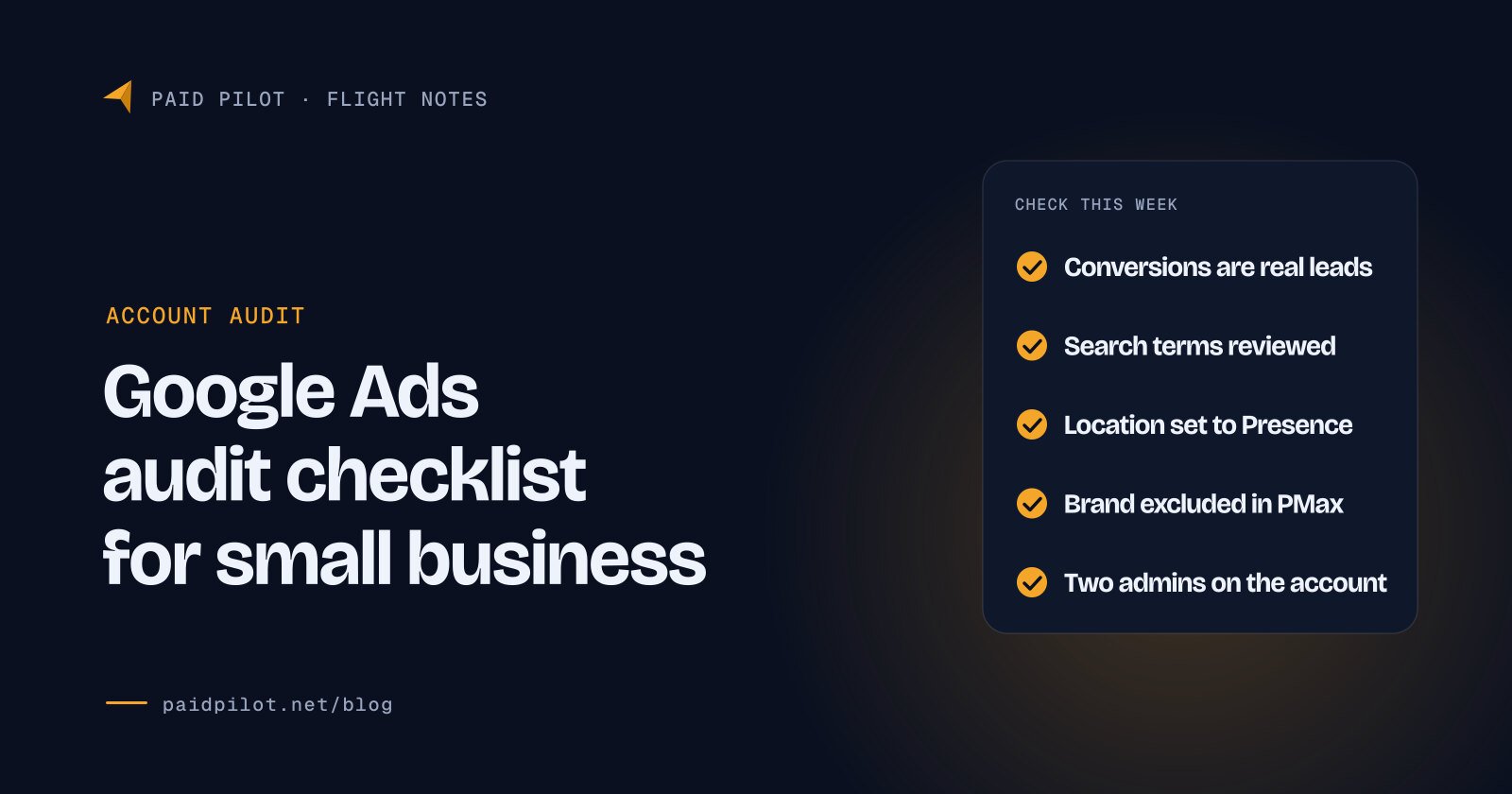
How do you run this Google Ads audit checklist in an hour?
Work through these checks in order, with the last 30 days selected. Write down what you find before you change anything, so you can see whether each fix helped.
- Conversions are Active and real. Only calls, forms, bookings or sales are set as primary.
- Calls are counted. Call conversions are set up with a sensible minimum call length.
- Enhanced conversions are on. Check Goals, Settings, Customer data use.
- Search terms are reviewed. Sort by cost and add irrelevant terms, plus their variants, as negatives.
- Broad match has Smart Bidding. No broad match keywords on manual bidding or Maximize clicks.
- AI Max settings are deliberate. You know which of its three features are on in each campaign.
- Location uses Presence if you only serve a defined area, and excluded areas are listed.
- Search partners are a decision. Results are segmented by network before you keep them.
- The ad schedule matches your phone hours.
- Each ad group has a full responsive search ad with unique headlines and a matching landing page.
- Automated assets and promotions are checked, and expired offers are removed from your site.
- Budgets fit the month at 30.4 times the daily budget.
- Performance Max excludes your brand if a Search campaign already covers it.
- You own the account and there are two admins. Auto apply is off unless you chose it.
Illustration: a fictional company, Ridgeback Garage Doors, finds that “page view” is a primary conversion. Its account reports 40 conversions a month, but only 9 were calls. Fixing that one setting changes what Smart Bidding chases, and it is the first thing to fix before judging anything else.
How Paid Pilot handles a Google Ads audit
Paid Pilot runs this same checklist when we review an account. You can request a free recorded audit and keep the recording, whether or not you hire us. If an account needs a rebuild, that is our account audit and rescue service, and ongoing management is a flat monthly fee shown on our pricing page, starting at $499 a month for ad budgets up to $3,000. You keep ownership of your Google Ads account, and there is no contract.
Frequently asked questions
A Google Ads audit should cover conversion tracking, the search terms report and negative keywords, match types and AI Max settings, location and network settings, the ad schedule, ads and landing pages, budgets and bidding, Performance Max brand exclusions, and who has access to the account. Tracking comes first because every other number depends on it.
For most small businesses, a full audit once a quarter and a short search terms review every week works well. Audit sooner if you change who manages the account, if cost per lead rises for more than two weeks, or if Google announces a change to a campaign type you use.
Yes. Read only access lets you view campaigns and reports, and Standard or Admin access lets you change settings. Start with the conversion status on the Conversions page, then the search terms report, then campaign settings for location, networks and ad schedule. Write down what you find before changing anything so you can measure each fix.
No. Google describes optimization score as an estimate of how well an account is set to perform, and says you can reach 100% by applying or dismissing all recommendations. It is a list of suggestions from Google, not a measure of profit. Judge the account on cost per lead and lead quality instead.
In our experience, the most common problem is conversion tracking that counts the wrong things, such as page views or button clicks, as primary conversions. That makes reports look better than reality and points Smart Bidding at the wrong goal. Missing negative keywords and a too wide location setting come next.
Sources
- About advanced location options, Google Ads Help, accessed 26 October 2026.
- About the search terms report, Google Ads Help, accessed 26 October 2026.
- About negative keywords, Google Ads Help, accessed 26 October 2026.
- About keyword matching options, Google Ads Help, accessed 26 October 2026.
- Optimize Google Ads with AI Max for Search campaigns, Google Ads Help, accessed 26 October 2026.
- Migrate campaign level broad match and automatically created assets to AI Max, Google Ads Developer Blog, 12 August 2026.
- Apply brand exclusions to Performance Max or Search campaigns, Google Ads Help, accessed 26 October 2026.
- Conversion tracking: troubleshooting conversion tracking status, Google Ads Help, accessed 26 October 2026.
- Manage conversion goals from the conversions summary, Google Ads Help, accessed 26 October 2026.
- About phone call conversion tracking, Google Ads Help, accessed 26 October 2026.
- About enhanced conversions, Google Ads Help, accessed 26 October 2026.
- Updates to your enhanced conversions settings, Google Ads Help, accessed 26 October 2026.
- About the Google Search Network, Google Ads Help, accessed 26 October 2026.
- About ad scheduling, Google Ads Help, accessed 26 October 2026.
- Changes to Google Ads budget pacing for ad scheduling, Google Ads Help, accessed 26 October 2026.
- Google Ads is removing language targeting from Search campaigns, Search Engine Land, 13 August 2026.
- About responsive search ads, Google Ads Help, accessed 26 October 2026.
- About Ad Strength for responsive search ads, Google Ads Help, accessed 26 October 2026.
- About Quality Score for Search campaigns, Google Ads Help, accessed 26 October 2026.
- About account level automated assets, Google Ads Help, accessed 26 October 2026.
- Google Ads to automated promotions for some Search campaigns on October 12th, Search Engine Roundtable, 5 October 2026.
- Evaluate the performance of your landing pages, Google Ads Help, accessed 26 October 2026.
- About overdelivery and your average daily budget, Google Ads Help, accessed 26 October 2026.
- About Smart Bidding, Google Ads Help, accessed 26 October 2026.
- 2026 Google Ads benchmarks, WordStream by LocaliQ, 19 May 2026.
- Google Ads CPL drops for first time since 2020 as CPC hits $5.42, PPC Land, 29 June 2026.
- About access levels in your Google Ads account, Google Ads Help, accessed 26 October 2026.
- About Multi-party approval for Google Ads, Google Ads Help, accessed 26 October 2026.
- About change history, Google Ads Help, accessed 26 October 2026.
- About applying recommendations automatically, Google Ads Help, accessed 26 October 2026.
- About optimization score, Google Ads Help, accessed 26 October 2026.